
The platform supports importing tool definitions from cURL requests, OpenAPI, Swagger, Postman collections and compatible tool exports. Prepared templates provide another starting point. Choose the format shown by your installed version and inspect the import preview.
Choose a prepared template#
Open Templates to browse the built-in configurations. Search by service or filter by category, read the description and authentication requirement, then choose the relevant template. A displayed tool count describes that template at the time of capture; it is not a promise about your plan or a successful connection.
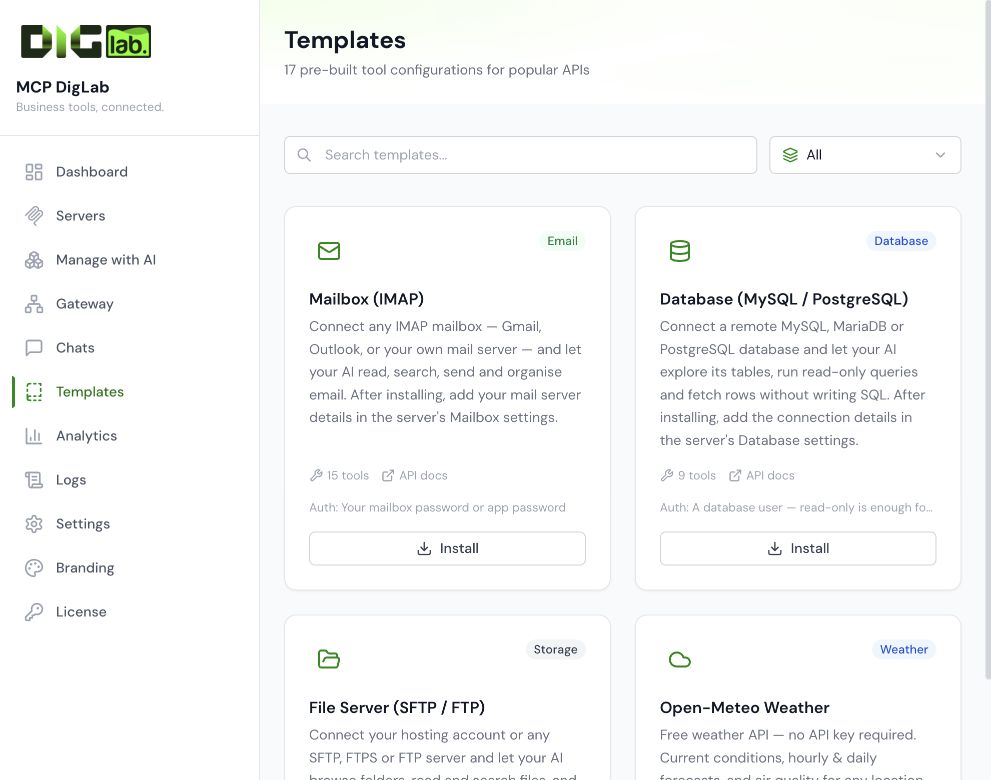
Template installation and account authorisation are separate. Inspect the resulting server, apply your account connection securely, review the included operations, and test an agreed read before activation. See built-in connectors for their configuration boundaries.
Before importing#
Use an official definition for the intended API version. Remove embedded live credentials and private example records before uploading a definition or pasting a request. Review environment variables and headers as well as the visible URL.
Choose only the operations required by the workflow. An imported write or administrative operation is not automatically authorised for use. Check schemas, URL variables, account regions and body mappings after import.
Templates#
A template creates a configuration that still needs account authorisation and testing. Check whether installing it creates a new server so that you do not make duplicates. Configure the intended connection and leave unverified or unnecessary operations disabled.
Tool export and whole-server export#
A tools-only export moves the operation definitions. A whole-server export can also carry resources, prompts and portable server settings. Use the matching importer; these are different file types.
The current server-transfer implementation deliberately excludes stored encrypted credentials. Reauthorise services and create the appropriate destination credentials after import. Inspect every export before sharing: URLs, descriptions, custom examples or manually entered values may still contain private information.
Move to another installation#
- Preserve the source configuration and keep the working connection available.
- Export the smallest approved configuration scope.
- Review the file for secrets and customer records.
- Import into a clean destination and check its new endpoint and status.
- Reconnect the intended service accounts through the secure route.
- Repeat authentication, discovery, account and operation tests.
- Switch clients only after the destination is accepted, then withdraw obsolete access.
Exporting configuration does not move software activation rights, background schedules, a complete backup or authorisation to access another organisation's accounts.