
A server groups related tools, resources, prompts, account settings and an MCP endpoint. Use a clear boundary such as one organisation and one approved service account. Separating development and production also helps prevent testing against live records.
Create the configuration#
Open the dashboard's server creation action. Enter a descriptive name and check the generated slug. The slug forms part of the connection address; changing it can break clients that use the old endpoint.
Set inbound authentication explicitly. Do not accept an unauthenticated default for a private business integration. Prepare the server inactive while the connection, inputs and permission scope are still being checked.
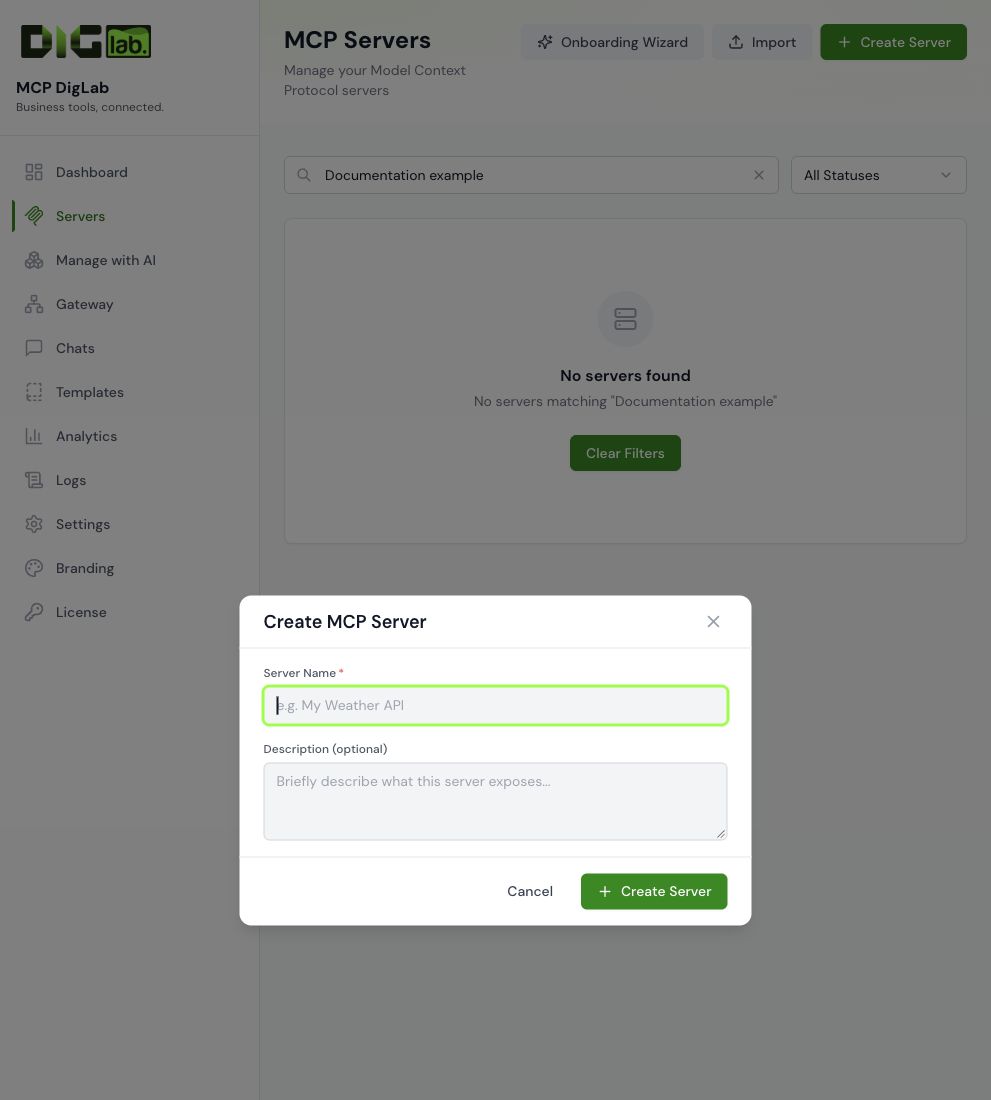
The dialog creates the named container for your configuration. Continue with authentication and tools before treating it as ready for a client. See the visual setup walkthrough for the complete sequence.
Configure both authentication layers#
Inbound authentication controls which AI clients can reach this MCP server. Outbound authentication is the credential or consent used to call the connected business service. Configure the latter through the server's supported encrypted connection settings.
Use the correct account, region and workspace. Account-level connection variables belong in the connection configuration; do not ask a model to guess or change a service hostname on every call.
Add only the required operations#
Use build a tool, a supported template or the import guide. Keep unverified operations inactive. Set sensible request limits and timeouts, and record whether each operation reads, writes, sends or deletes.
Test and activate#
Verify the expected tool list and a harmless read-only result for the exact service account. Check rejection of missing or wrong credentials. Test authorised writes separately before including them in the handoff.
Activate the accepted server and connect the intended AI client. Publish it through a gateway only if that gateway belongs to the intended audience. Never interpret activating one server as permission to publish it to every user.
Change or retire a server#
Save a configuration baseline, make the smallest change and verify affected clients. Prefer deactivation and key revocation when retiring access. Important record deletion or permanent tool removal needs its own deliberate decision and recovery plan.