
MCP screenshot walkthrough
Use the dashboard shortcuts, inspect the server setup form and choose a template before configuring your MCP connection.
STEP 01
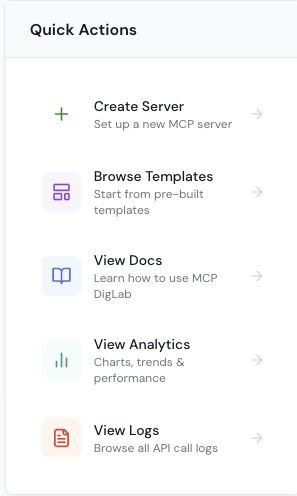
Choose your next MCP action
Use the real dashboard Quick Actions card to open server setup, templates, documentation, analytics or logs. This current capture excludes server records and credentials.
STEP 02
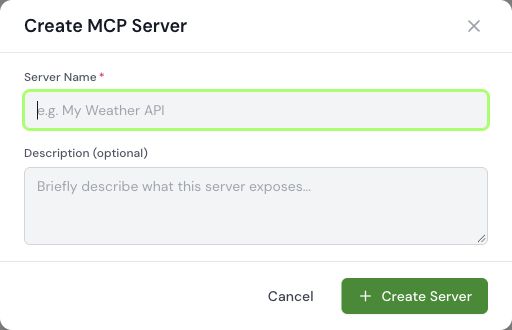
Choose the server setup
Open Create Server and choose the supported setup path. This is the real blank setup form captured 27 October 2026. No server was created.
STEP 03
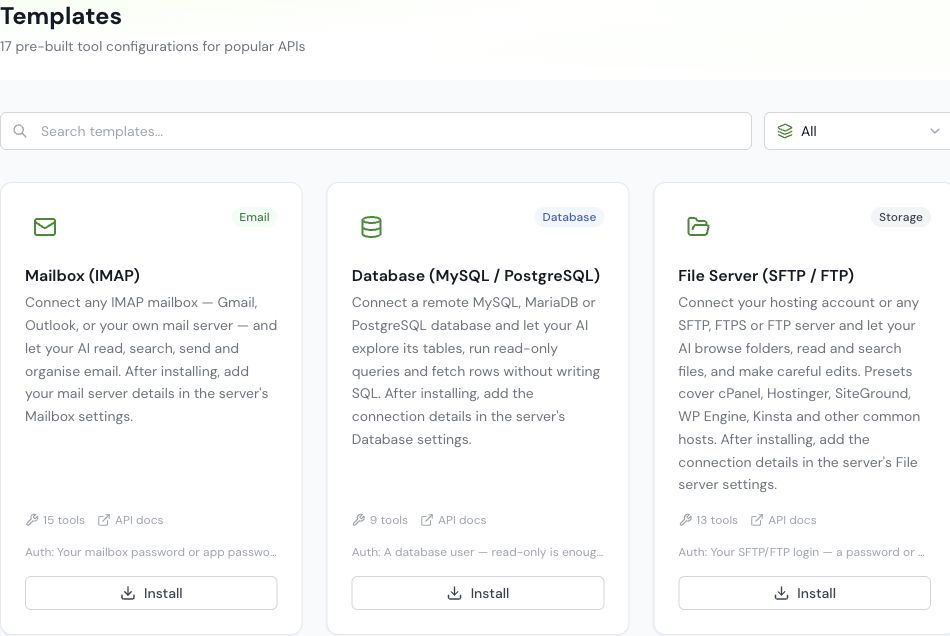
Start from the relevant template
Review a template before configuring its connection and permissions. A listed template does not prove its integration is connected. Real interface captured 27 October 2026.
Screenshots show interface states, not proof of a completed registration, published post, payment or connected integration. Follow the state shown in your own account.